Edit SMTP connection
This is a PRO feature (not available in the free version).
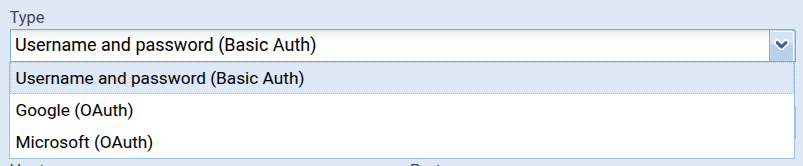
Type
The type determines which kind of SMTP connection is created:
Username & Password
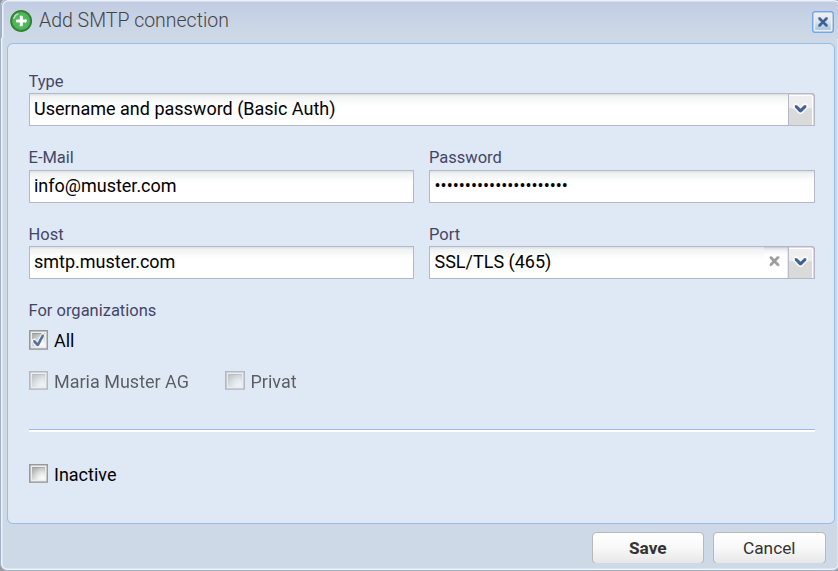
This is the classic SMTP connection using a username and password. You receive this information from your mail provider.
E-Mail
The username (only e-mail-addresses allowed) of the SMTP connection. This will also be used as the From address when sending documents.
Password
The password of the SMTP connection. For some providers you have to create an app password especially for this, i.e. your normal password won't work in that case.
Host
The hostname of the SMTP connection (usually something like smtp.provider.com).
Port
The port of the SMTP connection:
- SSL/TLS (465)
- STARTTLS (587) - usually this port
Other ports are not supported.
For organizations
Here you can assign organizations to the SMTP connection. This means that if, for example, you select the organization Maria Muster AG, this SMTP connection will only be active in that organization.
If “All” is selected, the SMTP connection is active in all organizations.
Inactive
If the SMTP connection is set to inactive, it will no longer be used but can be reactivated at any time.
Google & Microsoft
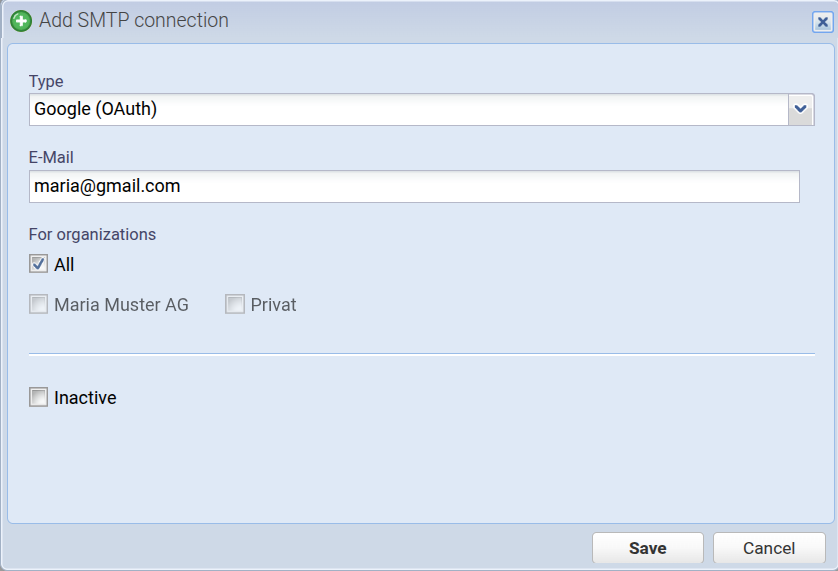
Here you can choose between Google and Microsoft and sign in directly via the provider. Therefore, you only need to enter the email address. Note: If you have a Google app password, please use the type Username and Password (Basic Auth). For these types of SMTP connections, only “For organizations” and “Inactive” can be edited after creation. If the email address changes, please create a new SMTP connection.
Email
Email address of the SMTP connection. This will also be used as the From address when sending documents. It is important that you are logged in to the OAuth provider (e.g. Google) using this same email address.
For organizations
Here you can assign organizations to the SMTP connection. This means that if, for example, you select the organization Maria Muster AG, this SMTP connection will only be active in that organization.
If “All” is selected, the SMTP connection is active in all organizations.
Inactive
If the SMTP connection is set to inactive, it will no longer be used but can be reactivated at any time.